









What Netsuite suiteanalytics can do for your business
NetSuite SuiteAnalytics gives you complete visibility across your entire business, with built-in reporting, dashboards, and data analysis tools that surface real-time insights directly from your NetSuite data. This comprehensive solution eliminates the inefficiencies of manual reporting and siloed data by centralising all your business intelligence within one powerful, cloud-based ERP system.
-
Get a NetSuite pricing estimate
Let Annexa, Australia and New Zealand’s most experienced NetSuite implementation partners, prepare a tailored pricing estimate for your organisation.
Core features of Netsuite suiteanalytics
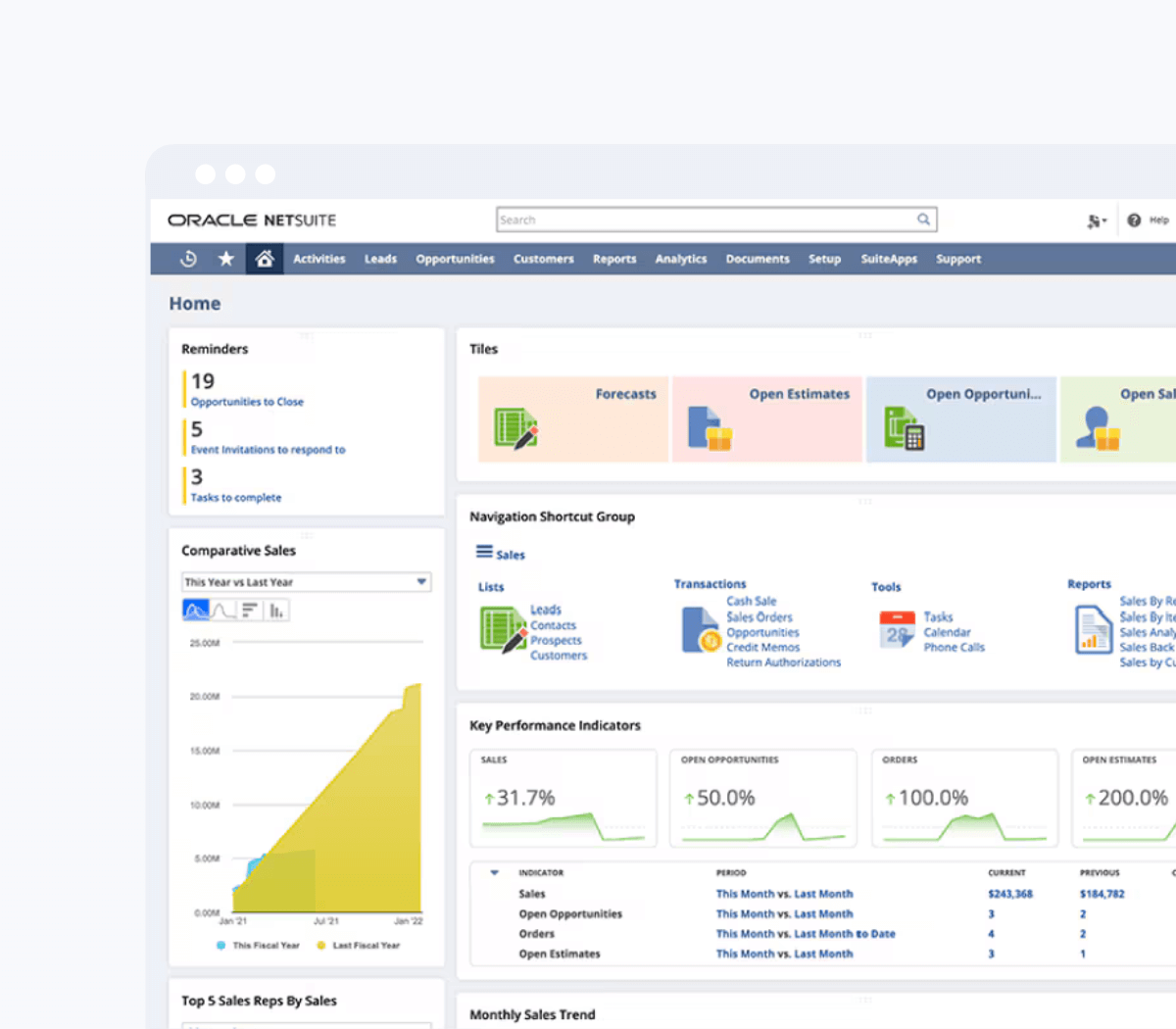
Embedded analytics. Industry-leading reports.
-
Knowledge at your fingertips
Actionable analysis gives you meaningful operational and financial insights into performance across every department and team.
-
A data aligned company
Let your people self-serve real-time analytics across all business areas and be confident that decisions are backed by accurate and timely information.
-
Be future forward
Get the insights needed to visualise patterns and identify opportunities to make confident data-led decisions to drive your business forward.

Who is NetSuite SuiteAnalytics for?
NetSuite SuiteAnalytics is built for any organisation that runs NetSuite and wants to use its data more effectively, but delivers the most immediate value to the following.
-
Finance teams managing month-end close and board reporting from a single source of truth.
-
Business owners and executives requiring real-time performance dashboards without relying on IT or finance teams.
-
Operations and warehouse managers overseeing inventory accuracy, bin locations, and warehouse workflows.
-
Sales teams and sales managers tracking pipeline, order history, and customer activity in a single connected system.
-
Businesses that have been managing reporting through spreadsheets.
-
Data and BI teams in mid-market businesses building analytics on top of NetSuite operational and financial data.






Why choose Annexa?
At Annexa, we combine deep Oracle NetSuite ERP expertise with a practical, people-first approach. We work alongside your team to deliver implementations that are built to last and designed to evolve as your business grows.
- Over a decade as a leading Oracle NetSuite Solution Provider across Australia and New Zealand
- Proven delivery across complex ERP implementations, integrations and multi-entity environments
- A structured implementation methodology shaped by real-world customer outcomes
- One of the most highly certified NetSuite teams in the region, spanning finance, technical and integration specialists
- Ongoing optimisation and advisory services to help customers keep extracting value from NetSuite
Collaboration sits at the centre of how we work. We build long-term partnerships with our customers, acting as an extension of their team to support growth, change and continuous improvement.






Industries we work with
RESOURCES
Customer stories
let’s chat
Progress starts with engaging conversations.
Reach us via the online chat, the form, or give us a call.
- ✓ NetSuite AI & ecosystem experts
- ✓ Leaders in integration
- ✓ Award-winning team
- ✓ Strategic partner network
- ✓ Innovation always
Frequently asked questions
NetSuite SuiteAnalytics is a powerful suite of analytical tools embedded within the NetSuite ERP platform. It includes a range of features designed to help businesses analyse their data, gain insights, and make informed decisions.
Standard NetSuite includes basic lists and transaction reports, whilst SuiteAnalytics provides a fully integrated business intelligence environment including role-based dashboards, the Workbook pivot and chart tool, advanced saved searches with summarisation and formula capabilities, the financial report builder, and SuiteAnalytics Connect for external BI integration. SuiteAnalytics is the reporting and analytics layer built on top of the core NetSuite platform.
Core SuiteAnalytics functionality, including dashboards, saved searches, and the financial report builder, is included as part of the standard NetSuite platform. SuiteAnalytics Workbook is also included within NetSuite. SuiteAnalytics Connect, which provides ODBC and JDBC connectivity for external BI tools, is available as an additional module. Annexa can confirm exactly what is included in your specific NetSuite licence during a scoping conversation.
NetSuite is used by businesses of all sizes, from startups to rapidly growing companies. If you are considering making the switch but unsure about the cost, here is a quick breakdown. NetSuite operates on an annual subscription model, which includes three key components: the core platform, optional modules, and the number of users. There is also a one-time implementation fee for the initial setup. As your business expands, you can easily add new modules and users, thanks to the flexibility of cloud software. Core SuiteAnalytics capabilities are included with the NetSuite platform, while SuiteAnalytics Connect is available as an additional module. Want to get a NetSuite pricing estimate? Contact us now to discuss your specific needs.
Yes. Dashboards, saved searches, and Workbook analyses are all designed for business users and require no coding or technical background. Users can personalise their own dashboards, build saved searches using filter and column selectors, and create Workbook pivots and charts through a guided interface. More advanced configurations, such as formula columns or complex summary groupings, may benefit from initial setup support, which Annexa provides as part of the implementation process.
Yes. For businesses using NetSuite OneWorld, SuiteAnalytics can report across subsidiaries in a consolidated or entity-by-entity view. Financial reports can be filtered by subsidiary, and dashboards can be configured to show either group-wide or entity-specific metrics depending on the user’s role and permissions. Intercompany eliminations are reflected in consolidated reports automatically.
Yes, through SuiteAnalytics Connect. This module provides ODBC and JDBC drivers that allow external BI tools including Microsoft Power BI, Tableau, Qlik, and others to query the live NetSuite data schema directly. This removes the need for manual exports or third-party data pipeline tools and keeps your external dashboards current with live ERP data. Annexa can assist with the technical setup and data model documentation for Connect integrations.
SuiteAnalytics respects NetSuite’s role-based access control framework. Users can only view and report on data they have permission to access in the underlying system. A user without access to payroll records, for example, cannot build a saved search or Workbook that exposes payroll data. This means you can share reporting tools broadly across your organisation without compromising data security or confidentiality.
Yes. Saved searches and financial reports can be scheduled to run automatically and delivered to nominated recipients by email on a daily, weekly, monthly, or custom schedule. This is useful for recurring operational reports, management packs, and exception alerts, removing the need for someone to manually run and distribute reports each period.
Yes. Because SuiteAnalytics draws on live transaction data including GST coding, businesses can build saved searches and reports that summarise GST-collected and GST-paid figures across any period. These can be used to cross-check BAS figures before lodgement and to maintain an ongoing view of GST obligations throughout the quarter rather than scrambling at period end.