
Last Updated on 21 October 2026
In October, a group from Annexa joined NetSuite and other members of its partner and SuiteApp network in Sydney for a day on AI in NetSuite, built around the question of how our region gets ready for NetSuite Next. NetSuite walked us through the current state of play, a live demonstration of the AI features released to US and Canadian customers from August, the training on offer and how AI usage will be measured.
Below we share what we learned, specifically for the finance and operations teams who will be using it.
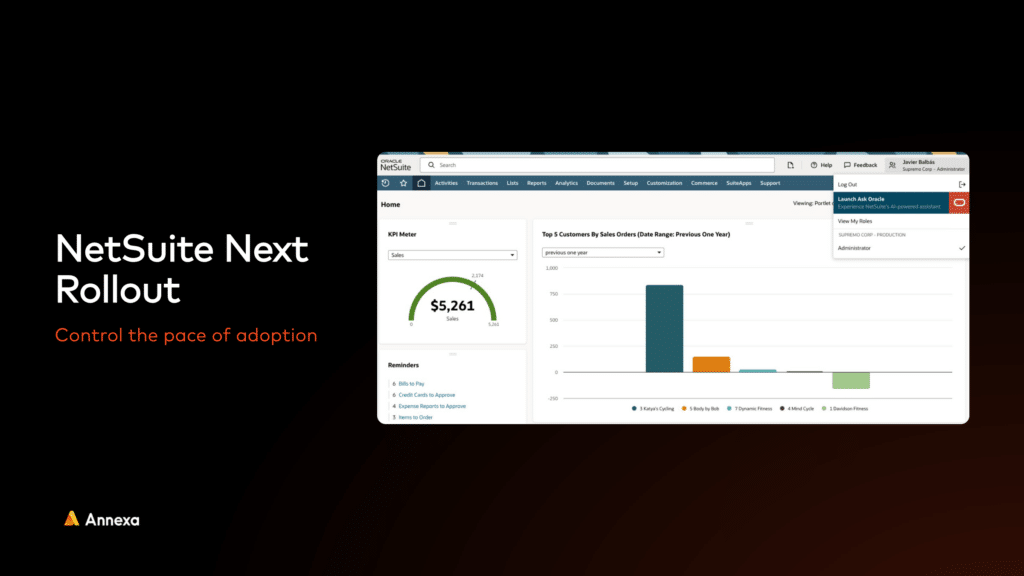
NetSuite Next is Oracle’s new version of NetSuite, built around an AI-first user experience. It went live in August 2026 as part of the 2026.2 release (NetSuite updates every account twice a year, and 2026.2 is the second of this year’s two releases) for customers in the US and Canada, following an early pilot across the same regions. Oracle has said other countries will follow soon on the back of the early success since release. It is not yet available in Australia or New Zealand and no date has been given, so for now this is the time to understand what is coming and get your account ready for it.
TL;DR
- NetSuite Next is Oracle’s new version of NetSuite, built around an AI-first user experience. It is live for US and Canadian customers and included in existing licences at no extra charge.
- Ask Oracle, the AI assistant at the centre of it, will be available inside a current NetSuite account without moving to the new interface, so customers who prefer the current look and feel can start there.
- Neither is available in Australia or New Zealand yet. Our expectation is the first half of 2027, with more to come after SuiteWorld at the end of October 2026.
Oracle describes NetSuite Next as “the same powerful NetSuite you use today, with AI embedded throughout”. This means there is no migration, reimplementation or new system to learn from scratch. With NetSuite Next, records and transactions live in the same database whichever interface a team is using, and administrators choose which roles try Ask Oracle or the full NetSuite Next experience, so a business can move one team at a time.
When will NetSuite Next reach Australia and New Zealand?
Oracle has not given a date. The most likely pattern is the one North America followed, with a set of trial customers and industries invited first and wider access after that, and our expectation remains the first half of 2027 for Ask Oracle inside existing accounts, with the full NetSuite Next switch following. We will know more after SuiteWorld, Oracle NetSuite’s annual conference in Las Vegas at the end of October 2026, and will update customers as soon as Oracle confirms regional timing.
AI you can use in NetSuite today
NetSuite Next is what is coming but a good deal of AI is already live in ANZ accounts, delivered through the same twice-yearly releases over the past 18 months. If your team has not switched these on, they are the place to start.
- Text Enhance and Prompt Studio. Write, tidy and translate text in any record, with administrators able to tailor the prompts behind it.
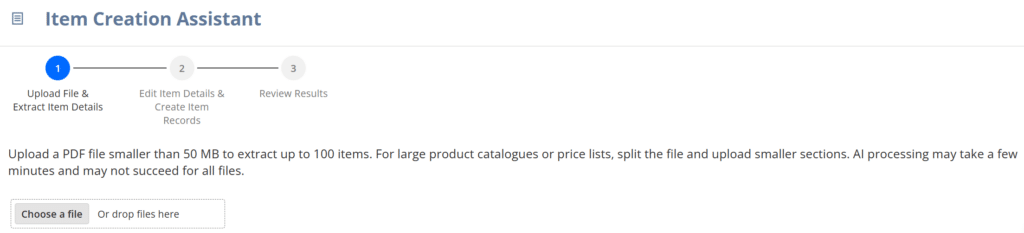
- AI item creation. Reads product documents stored in NetSuite and uses the detail to set up new items, saving the manual keying.
- Intelligent Close Manager and close summaries. Monitors the month-end close as it runs and explains errors and blockers in plain language.
- Bank transaction matching. AI matches bank lines to transactions, and reconciliation rules can be run on demand against unmatched items to clear backlogs.
- AI payment predictions. Scores how likely each customer is to pay an invoice, so collections teams know where to focus.
- Narrative insights. Written commentary on reports and records across the NetSuite platform.
- Contextual Insights and multivariate forecasting. For customers on NetSuite Analytics Warehouse and NetSuite Planning and Budgeting, automated variance analysis and forecasts that model how drivers move together.
- Intelligent recommendations. AI-driven suggestions on what to offer a customer next, giving sales teams a steer on upsell and cross-sell.
- AI SuiteScript. Build scripts that call the Oracle LLM, so automations can read, summarise and decide rather than just move data.
- SuiteAnswers AI assistant. Summarises SuiteAnswers help articles so your team finds answers to support queries faster.
- NetSuite AI Connector and AI companion. Connects Claude, ChatGPT and other AI assistants to NetSuite under your existing roles and permissions, with a library of 100 prebuilt prompts you can use across both and add your own to, all stored in one place.
Get a personalised NetSuite pricing estimate
Receive a tailored NetSuite quote based on your business requirements, users, modules and implementation needs.
What is coming with Ask Oracle and NetSuite Next
None of the products below are available in Australian or New Zealand accounts yet. These are the ones NetSuite walked us through in Sydney, in the order most finance teams will meet them once access opens here.
- Ask Oracle. A chat window inside NetSuite. Ask a question in plain English and it answers from your live data, builds a report on the spot, or takes you to the right record or screen. In NetSuite Next it sits on every page and already knows which record or report you have open.
- Skills. Packaged sets of instructions Ask Oracle follows the same way every time, so a monthly cash position outlook or a revenue and expense review runs identically each month. If your team has built skills in tools like Claude, this works the same way.
- AI Canvas. Ask for an overview in a sentence and Ask Oracle builds a full dashboard page of headline numbers, charts and written commentary from across the account, ready to review, refine and share.
- AI portlets. Smaller versions of the same thing for your NetSuite home page. Describe what you want to keep an eye on and the portlet shows the insight and the chart, with up to ten per user.
- Document digestion. Upload a customer’s purchase order and Ask Oracle creates the sales order from it. Oracle has also previewed uploading a delegation of authority policy and having the approval workflow built from the document.
- Build assistants. Conversational help for the technical side of NetSuite, including SuiteScripts, workflows and saved search formulas, so administrators describe what they need rather than writing it from scratch.
- Agentic workflows. AI agents built by NetSuite that run multi-step jobs such as parts of the month-end close, with a person approving each stage before anything is committed.
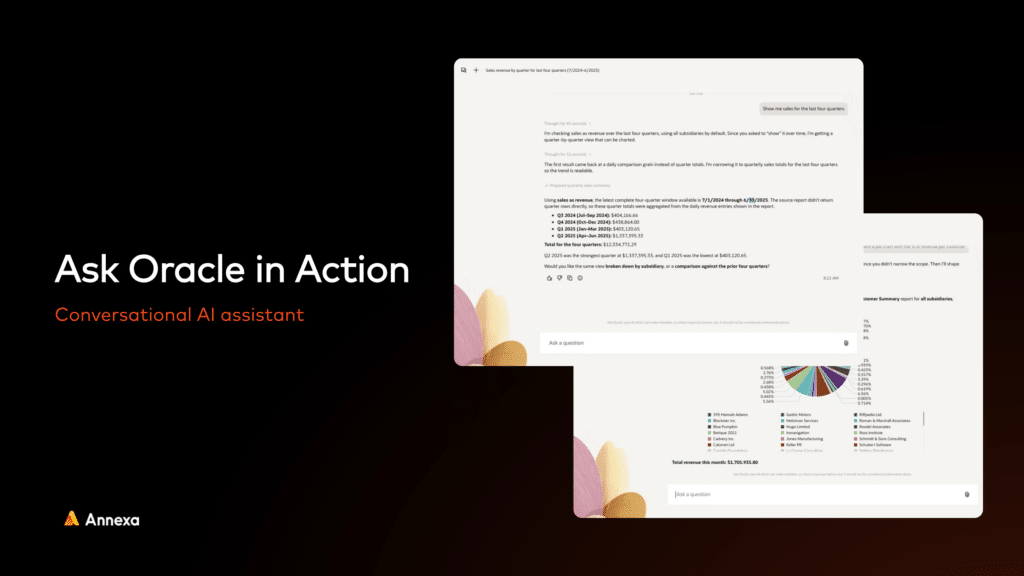
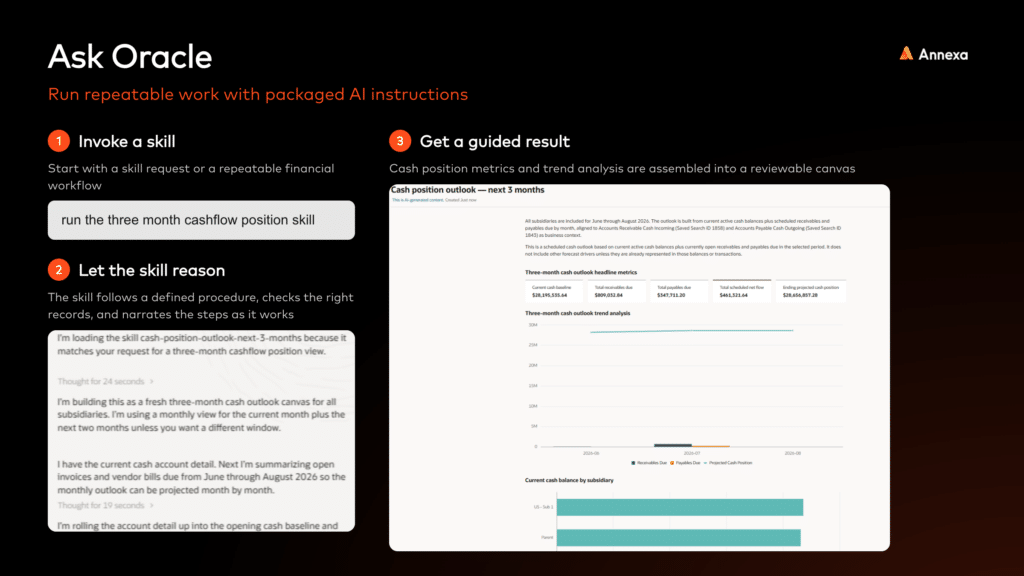
Everything from the current version of NetSuite carries over, including saved searches, custom records and the roles and permissions that decide who can see what. Oracle has published a comparison showing which of these capabilities work in the current NetSuite interface once Ask Oracle is switched on and which need the full NetSuite Next experience. Both columns describe what US and Canadian customers have today and what ANZ customers can expect once access opens.
| Capability | NetSuite with Ask Oracle | NetSuite Next |
|---|---|---|
| Chat | Yes | Yes |
| Skills | Yes | Yes |
| Canvas creation | Yes | Yes |
| Suite Agents | Yes | Yes |
| Explicit context (you tell it which record you mean) | Yes | Yes |
| Document upload | Yes | Yes |
| Implicit context (knows the page you have open) | No | Yes |
| Embedded page experience | No | Yes |
| NetSuite-built specialist agents | No | Yes |
| Advanced canvas UI elements | No | Yes |
| Linking capability for lists | No | Yes |
How customers will move across to NetSuite Next
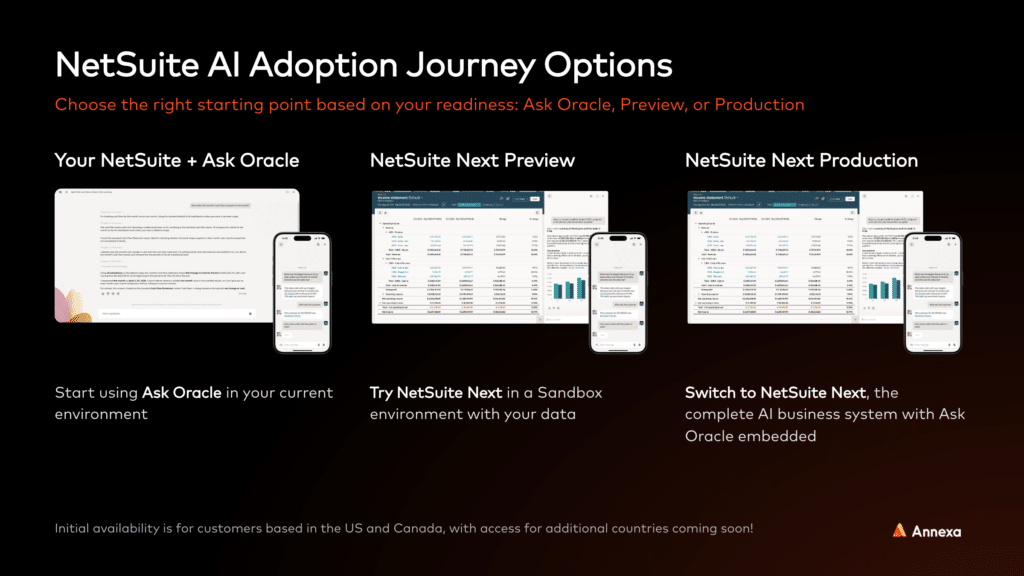
Once it does arrive in Australia and New Zealand, Oracle is leaving the timing up to each customer. The first step will be to switch on Ask Oracle in your current NetSuite account, which changes nothing about the screens your team already knows and adds the assistant as an option in the menu. From there you can try NetSuite Next in a separate test account that uses a copy of your own data, so your team can see how it handles your real reports and records with no risk to the live system. When the team is ready, you can move your production account across and the new interface becomes the one everyone uses.
Please note that nobody is being pushed off the current version of NetSuite. Oracle has been clear that the AI is there to add to NetSuite rather than replace it and Ask Oracle will be available in the classic interface as well as the new one.
What NetSuite Next will cost: nothing
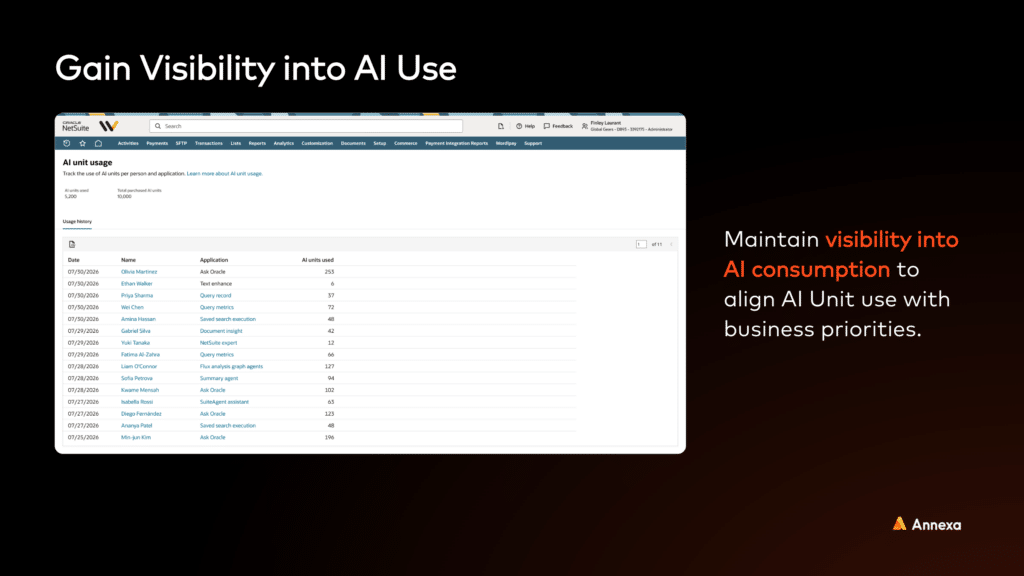
Ask Oracle and NetSuite Next will be included in existing NetSuite licences at no extra charge when they arrive. Oracle measures how much AI a business uses through NetSuite AI Units, a shared allowance that comes with every eligible user licence and is pooled across the whole company for the life of the contract, so heavy and light users draw from the same pot. Light tasks such as rewording a product description use a handful of units and heavier ones such as matching a month of bank transactions use more, and administrators will be able to see who is using what from a usage page in NetSuite.
For most mid-market customers the included allowance should cover normal use for a long time, and extra units can be added mid-contract if a team finds it is leaning on the tools more than expected. If you want to understand how the allowance would work for your account, your Annexa customer success manager can walk through it with you.
SuiteApps, integrations and getting ready
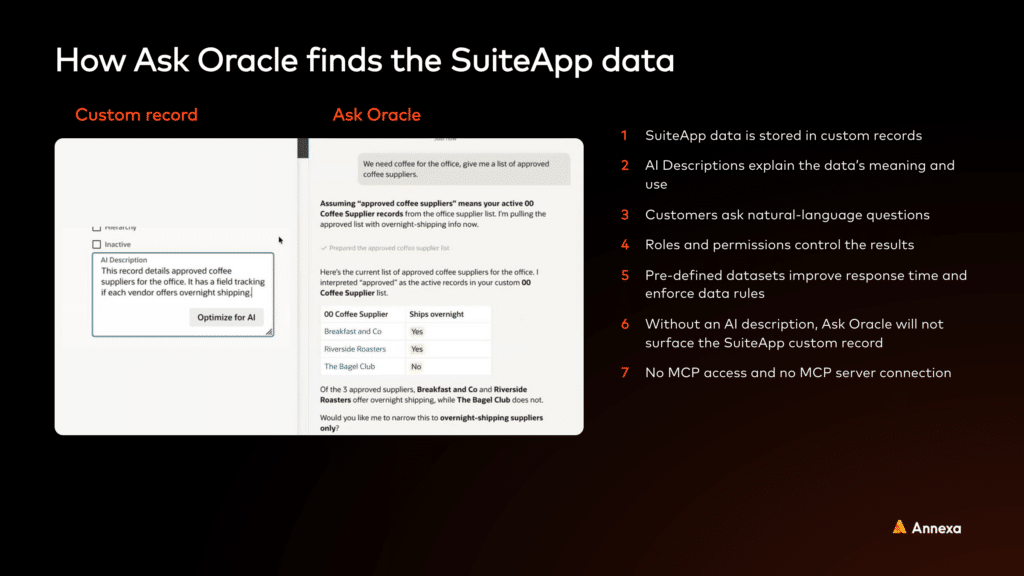
Ask Oracle can only answer questions about data it can see and understand. SuiteApps are the add-on applications built by NetSuite partners that extend what NetSuite does, for things like payroll, EDI or tax, and they, along with any customisations your own team has built, keep their data in custom records. Each of those records needs a short plain-language AI description added so Ask Oracle knows what it is for. Oracle will make this a requirement for every app carrying its Built for NetSuite certification from the 2027.1 release, and 574 apps already carry the NetSuite Next Ready badge, including more than 140 built in ANZ. Your existing roles and permissions still decide who can see what.
The same goes for integrations. If data from your ecommerce platform, warehouse or payroll system never reaches NetSuite, Ask Oracle cannot answer questions about it, so the integrations feeding your account will require a look before the AI arrives.
For ANZ customers the practical to-do list before local availability is short. Audit the SuiteApps in use and ask each vendor about NetSuite Next readiness and AI descriptions, review the integrations feeding data into NetSuite, check that the data itself is in a state an assistant can reason over, and have the finance team complete the NetSuite Next courses on Oracle MyLearn, Oracle’s free training site, so the preview environment is productive from day one.
Where Annexa fits
Annexa can run a NetSuite Next readiness review across your integrations, data and SuiteApps so that AI can work across the whole business the day access opens in ANZ, and we can show you Ask Oracle and NetSuite Next running in a demo environment if you would like to see it before then. Talk to your Annexa customer success manager or get in touch.
Frequently asked questions
Is NetSuite Next available in Australia and New Zealand?
Not yet. NetSuite Next and Ask Oracle are live for customers in the US and Canada only. Oracle has said other countries will follow and has not confirmed a date, and our current expectation is the first half of 2027, with Ask Oracle inside existing accounts likely to come first.
Is there an additional cost for NetSuite Next?
No. Ask Oracle and NetSuite Next will be part of your existing NetSuite licence, and every eligible user licence comes with a pooled allowance of AI Units that covers the AI features. Extra units can be purchased if a business uses more than its allowance.
Do we need to migrate or reimplement to get it?
No. NetSuite Next arrives through Oracle’s standard twice-yearly release, and once it is available in ANZ your administrator switches it on role by role. The data, records and business logic underneath stay exactly as they are.
Will our customisations and SuiteApps still work?
Yes. Existing customisations, SuiteApps and integrations keep working in NetSuite Next. For Ask Oracle to answer questions about them, each custom record needs a plain-language AI description added, which is the main preparation task for most accounts.
Where does our data go when we use Ask Oracle?
Ask Oracle runs inside NetSuite on Oracle’s own infrastructure and respects the roles and permissions already set in your account, so each user only sees what they could already see. If you connect an outside AI assistant through the NetSuite AI Connector, the data you choose to share with it is governed by that provider’s privacy policy.
What should we be doing now?
Switch on the Redwood interface in your sandbox and get familiar with it, try the AI features already live in your account, and review your data, integrations and SuiteApps so Ask Oracle has clean, complete information to work with when it arrives. If you would like an early look at NetSuite Next, talk to your Annexa customer success manager.